
FAQ Category JB Data eSIM

Is it possible to extend the validity period of the eSIM or add more data?

🅰️All eSIMs can have their validity period extended or additional high-speed data added.

  • You can top up or extend within the validity period.
  • Remaining data and newly added data are treated the same; there is no usage priority between the two.
  • There is no limit to the number of top-ups or extensions.
  • If you top up within 7 days after the expiration date, the data balance will be reset to zero, but you can continue using the original eSIM or SIM card.
  • The extension period is calculated from the 2nd day after the original expiration date, which is considered the first day of the new validity period.
  • After purchase, in addition to receiving an email with an electronic receipt, you will also receive a separate activation notice from our company via biz@jbrg.jp.
  • You may request a cancellation before receiving the activation notice. However, a 5% processing fee will be deducted to cover credit card company fees.
  • If you apply for an extension after 6:00 PM on the last day of validity, please contact customer service for confirmation before making the purchase to avoid delays in processing.
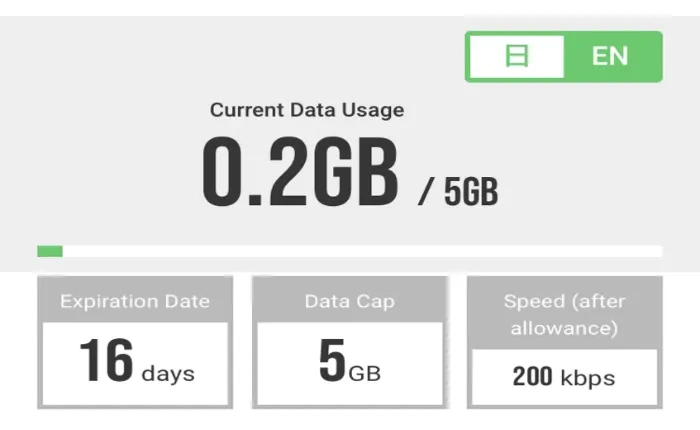
  • After the initial validity period ends, the online inquiry system [eSIM Activation URL] will no longer reflect the extended validity or remaining data. Please use your mobile device’s data usage statistics instead.
  • All JBeSIM plans are eligible for top-up and extension. JB SIM cards with data capacity (X-GB) can be topped up, while time-based plans (6/8/16/31 unlimited) cannot be extended.
What should I do if I cannot scan the QR code on my own phone after issuing it from my phone?

🅰️【【Settings】➡【Mobile Services】➡【Add eSIM】➡【Use Mobile Barcode】➡ Scan the QR Code

➀Take a screenshot of the QR code and send it to another device so you can scan it with your phone.

②Print the QR code so you can scan it with your phone.

③Select【Manual Input of Details】and copy the【SM-DP+ address】and【Activation Code】from the【eSIM Activation URL】. For detailed instructions, please refer to the 👉 Instructions Before Use & Set up the APN

Why can’t the eSIM be fully activated while outside of Japan?

🅰️Our eSIM uses the local docomo mobile network in Japan, so it can only receive the signal after entering Japan. Once the signal is received, it will automatically activate immediately.

【Note】Most of the eSIMs currently available on the market are international roaming eSIMs sold by telecom companies from various countries in Taiwan. This is why they can be set up before traveling abroad, and you need to turn off roaming while outside Japan and enable international roaming after arriving in Japan. Since our eSIM is a local product for Japan, you do not need to enable roaming.

Can the QR for activating eSIM be issued in advance overseas?

🅰️Yes, it can be done.
As long as you’re in a place with internet access, you can issue it. Since the issuance takes about 15 minutes, if you’re concerned about not being able to connect to the free Wi-Fi at the airport or other places in Japan, it’s recommended to issue the QR code in advance in Taiwan.

📢【Important Note】Once the QR code is issued, even if it’s not used, the validity period will automatically start counting from the 3rd day after issuance. Therefore, please make sure your travel plans are confirmed before issuing it, and do so before your departure. If there are any changes to your itinerary, you can keep the QR code unused for later use, as long as it hasn’t been issued.
*The time reference is based on Japan Standard Time.