🅰️Our company uses the services of Japan’s largest mobile communications company, docomo, which has the widest coverage.
You can use the following website to enter an address and check the 4G/LTE service coverage:
👉docomo Mobile Network Service Area Search
Archives FAQs
Why is the signal bar not showing on my iPhone?
🅰️After updating to iOS 17, there may occasionally be an issue where the signal bars do not display the signal strength, but this does not affect reception. You can try the following methods:
- Restart the iPhone
- Toggle Airplane Mode on and off
- Turn mobile data off and on
- Check for software updates
Why is it better to choose docomo products for prepaid cards?
🅰️The prepaid card uses a 4G/LTE mobile network, and docomo has the most base stations in Japan, offering the widest coverage. Please refer to the comparison table below.
When you go to areas outside major cities in Japan, you will notice a significant difference.

docomo’s System Maintenance Time
Regular maintenance hours (Japan Time)
Every Tuesday from 10:00 PM to Wednesday 9:00 AM
■eSIM
During the system maintenance period, issuing eSIM activation QR codes will not be possible.
If the “Issue” button has already been pressed, the status will remain as “Pending.”
You may exit the screen and return later via the link to check the issuance result.
If the activation code has already been issued, you can still proceed with “Add eSIM” and begin using the service, even during maintenance.
■SIM Card
Inserting a physical SIM card into a smartphone or other device during the maintenance period may result in no response.
However, there is no need to worry — the system will automatically complete the activation process in order once maintenance is finished.
SIM cards that are already in use will not be affected.
■Voice SIM Card
Voice SIM cards are pre-activated before delivery and are therefore not affected by system maintenance.
Temporary Maintenance hours (Japan Time)
① Sep. 24, 2025, 10:00 PM ~ Sep. 25, 2025, 9:00 AM
■Functions Temporarily Unavailable
- New line activation for physical SIMs will not be available
- Activation codes for eSIMs will not be issued
■Notes
- Physical SIMs that request activation during the maintenance will be activated sequentially after the maintenance ends.
- Activation codes requested during the maintenance will be issued sequentially after the maintenance ends.
- SIM cards that have already been activated and are in use will not be affected.
- Activation codes that have already been issued can still be installed and used during the maintenance period.
Is the speed of a physical SIM card faster than an eSIM?
The signal strength is mainly affected by the telecommunications company’s network infrastructure. The factors that influence the signal strength are as follows:
The distance to the base station
Presence of obstacles
Presence of signal interference
Antenna performance
Frequency band Since our company’s eSIM and SIM cards are products from Japan’s local docomo telecom company, using the same signal, the speed of our eSIM and SIM cards are the same. As for other international roaming eSIMs, there may be cases where roaming is done through smaller telecom companies, leading to significant differences in speed and coverage.
How can I check the data usage of the voice SIM?
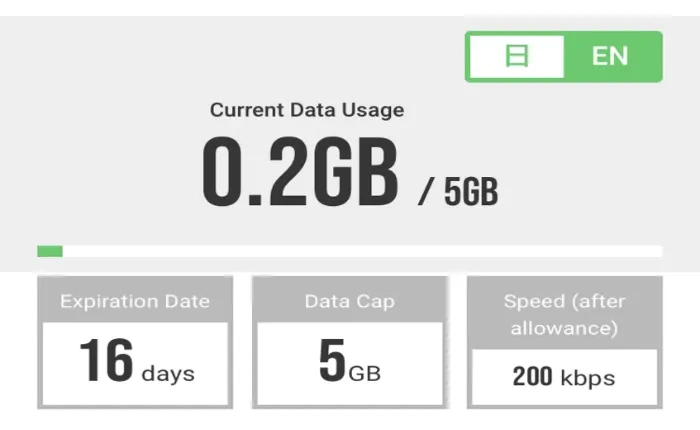
🅰️ Since JB voice SIM does not offer an online real-time data usage query service, please use the statistics function on your smartphone or tablet device. Please refer to the “How to check your mobile data usage” in the common questions of the JB series.
Any SIM restrictions?
【 iOS Device】
「settings」➔「General」➔「About」➔「Carrier Lock」 ➔No SIM restrictions

【 Android Device】
You cannot determine this directly from the mobile phone. Please check with the place of purchase or the carrier you have a contract with.
SIM lock regulations vary by country. In Taiwan, most phones are not SIM-locked.Devices purchased in countries like Japan or the United States are more likely to have SIM lock issues.
📢If you have used SIM cards from different countries or carriers, the device is likely not SIM-locked.
How to Check if Your Phone Supports eSIM & Find Your EID
【iPhone (iOS)】
🔹 Method 1: Check Your EID in Settings
Settings ➔ General ➔ About ➔ Find EID
✅ If a 32-digit EID is displayed: Your iPhone supports eSIM.
🔹 Method 2: Check via the Dial Pad
Dial: *#06#
The Device Information screen will appear:
✅ If an EID is displayed: Your iPhone supports eSIM.
➔ If only the IMEI is displayed: Please purchase a physical SIM card instead.
※ Some iPhone models purchased in China, Hong Kong, or Macau may not support eSIM. Please check your device model before purchasing.

【Android Devices】
The operation steps may vary depending on the smartphone brand and model. The following example uses OPPO A79.
🔹 Method 1: Check EID through Settings
① Go to 【Settings】 ➔ 【About device】
② Tap 【Status】
③ Check whether an EID (32 digits) is displayed
✅ EID (32 digits) displayed: The phone supports eSIM
❌ No EID displayed: Please purchase a physical SIM card instead
🔹 If there are no 32 digits shown after EID, the eSIM setting is usually disabled. Please follow the steps below to enable eSIM.
④ Go to 【Settings】 ➔ 【Mobile Network】 ➔ Turn on the disabled eSIM ➔ Check that the 32-digit EID appears after EID (as shown in Step ⑤ below)

⚠️ Important Notes
The settings location may vary depending on the Android brand and model. If you cannot find the EID, please search for “EID” or “eSIM” in 【Settings】.
Before purchasing JB Voice eSIM, please confirm that your phone supports eSIM and enter the correct 32-digit EID. If the eSIM cannot be activated or needs to be reissued due to an incorrect EID, a reissuance fee will be charged.